


Messages
4.2786.00 Reviews
App Specs
- Version
- 1.43
- Updated On
- License
- Free
- Downloads
- 1,000,000+
- Developer
- Messages Text
- Categories
- Communication
- Platform
- Android
Screenshots
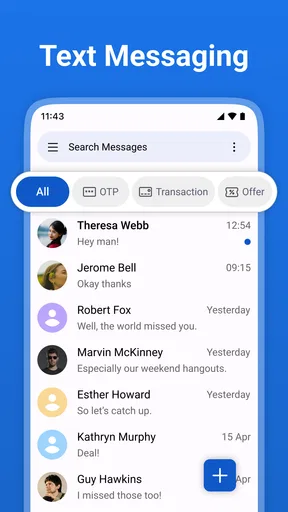
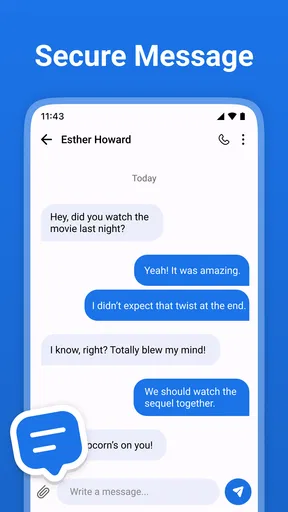
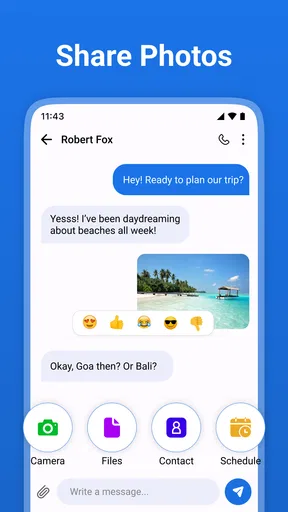
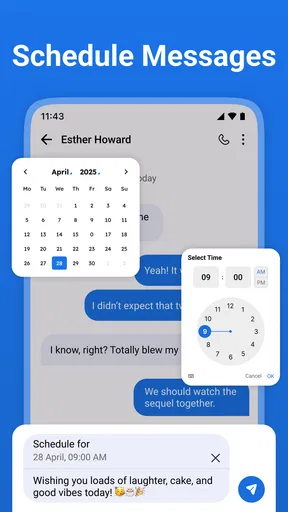
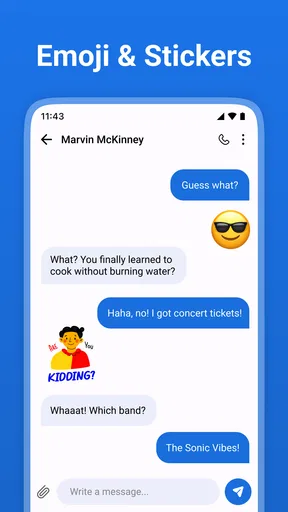
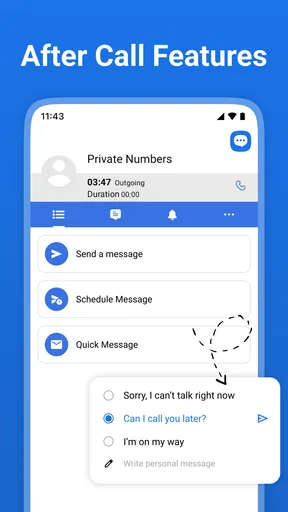
 Analysis by AppCompare
I judge a texting app less by how many extras it advertises and more by whether it makes an ordinary exchange easy to handle. Messages is aimed at that straightforward job: sending and receiving SMS without turning the experience into a social network or a complicated communication hub. For a household that needs a simple way to coordinate pickups, errands, or changes of plan, that narrow focus can be useful. The important caveat is that a shared phone and a shared conversation are not the same thing as shared access being safe or convenient.
A practical fit for everyday household texting
I look at Messages through the lens of a household that needs quick, ordinary texts rather than another shared account to manage. In this section, I focus on when a simple SMS routine works well and where borrowing one phone can blur privacy. The practical distinction is between coordinating with people who each have their own device and treating one handset as a communal inbox.
One phone, several people, different expectations
Picture a household member using a phone to tell someone that groceries are on the way, then messaging a relative about a late arrival. Those small updates are exactly the sort of routine SMS conversations this app is meant to handle. I like the idea of keeping the tool focused: if a family already relies on ordinary text messages, there is less to learn than with a chat service built around accounts, groups, media feeds, and online status.
That simplicity matters when someone is borrowing a device briefly. They can use a familiar text-based communication app rather than needing to join a new service just to send a basic message. But I would not treat the app as a household inbox. Text threads can contain personal details, and anyone using a device should understand whose conversations and contacts they may see. If several people need separate private communication, separate user accounts or their own devices are a better boundary than taking turns in one messaging app.
Messages is a free communication app from Messages Text, and its emphasis is on ordinary SMS rather than a broader family-management system. It has a 4.2 average from around 35 thousand ratings, with over a million installs. That level of use makes it a familiar kind of choice, but popularity alone does not tell me whether it suits a particular home. The real decision is whether a basic texting workflow is enough, or whether your household needs richer group tools and stronger separation between users.
Keep the setup personal, even in a shared home
Because this is a messaging app, the most useful setup habit is to decide who owns the phone and who is expected to use it before messages start accumulating. If a child borrows an adult’s device to send a quick update, for example, the adult should remain aware that existing conversations may be visible on that device. I would avoid leaving a phone unlocked as a general-purpose family messaging station unless everyone is comfortable with that exposure.
It is also sensible to test the basic routine with a low-stakes message first. Send a short text to someone you know, check that the reply appears in the expected conversation, and confirm that the device’s ordinary notification behavior works for the person carrying it. This is not a special feature claim; it is a practical way to catch confusion before relying on the app for a time-sensitive pickup or appointment.
Worth Reading Before You Choose

Flipboard Shows What News Apps Must Do Beyond the Feed

Switching to Android Auto Means Rethinking Your Driving Routine

Google Calendar Makes a Crowded Week Easier to Manage

Ludo King Makes the Most of the Minutes Between Plans

Baby Panda World Brings Quick Play to Modern Phones, but Its Game Library Feels Busy

ESPN’s Live Game View Makes Following Close Games Easier
A further trade-off is that standard texting is tied to the phone and messaging service being used, not to a shared household account that automatically creates separate identities. That makes the app approachable for one person’s day-to-day communication, but less tidy when several people rotate through one handset. For that case, a messaging service with distinct profiles—or simply individual devices—will usually be a better fit. I would not choose this app on the assumption that it provides family permissions, supervised access, or separate inboxes.
Useful for quick coordination, with a few habits
For household coordination, I find SMS most useful when a message is short and actionable: “I’m outside,” “Please pick up bread,” or “The appointment moved to the afternoon.” A practical workflow is to include the key detail in the text itself rather than relying on someone to infer it from a previous exchange. If a plan changes, send the revised time or place plainly; that reduces the chance that a relative acts on an older message while rushing.
For repeated arrangements, such as coordinating who will collect a child after an activity, a group conversation can reduce one-to-one relaying when the participants already use text messaging. The limitation is that a group thread is only helpful if everyone can identify the conversation and notices updates. I would keep urgent instructions explicit and avoid assuming that a message has been read merely because it was sent. For critical changes, a direct call may be more dependable than waiting for a text response.
There is also a useful boundary between coordination and record-keeping. SMS can leave a written trail of addresses, timings, and practical reminders, which is convenient when someone needs to check what was agreed. That same trail can expose information on a shared device. I would keep sensitive details out of casual household threads when they do not need to be there, and make sure temporary borrowers return the phone to its owner rather than leaving personal conversations open.
Age suitability is not the same as supervision
The app is rated for Everyone, and it runs on Android 7.0 or later. That makes it accessible across a broad range of ages and devices, but an age rating is not a promise that every messaging situation is appropriate for every child. SMS itself can connect a user with people outside the household, and the way a phone is shared matters as much as the app choice. A parent considering it for a young user should set expectations about who may be contacted and how to handle unfamiliar messages.
I would also distinguish a child’s own phone from an adult’s shared device. On a child’s personal phone, the adult can discuss responsible texting and review the device in a way that matches family expectations. On an adult’s phone borrowed for a quick message, the child may encounter conversations that were never intended for them. The app’s simple purpose does not remove that privacy issue, and I would not rely on it as a substitute for device-level supervision or household rules.
For older relatives, the uncomplicated SMS focus can be an advantage if they mainly want to exchange ordinary texts and do not want to learn a new messaging platform. A helpful family approach is to agree on clear wording for time-sensitive plans and to call when a response is essential. The app can support a familiar routine, but it cannot ensure that another person has seen or understood a message.
Making a shared routine less confusing
One small but useful household habit is to keep the sender clear when a phone might be used by more than one person. A recipient who recognizes the number may assume every message came from the device’s owner, even if a relative borrowed it. If a borrower sends something on the owner’s behalf, a brief sign-off can prevent confusion. This is not a feature of the app; it is a low-effort social rule that matters whenever several people take turns with one phone.
For plans involving several people, I would use a simple message pattern: put the person responsible, the action, and the relevant time in the same text. “I’ll meet you at the entrance after practice” is less open to misreading than “I’m there” when the thread has been quiet or multiple arrangements are underway. If the plan changes, send a fresh, complete instruction instead of relying on a correction that may be separated from the original message by other replies.
That approach is especially helpful for households where one person is not comfortable scrolling through a long conversation. SMS is often at its best when the message can be understood on its own. It also makes it easier for a recipient to reply with a clear confirmation, which is more useful than assuming silence means agreement. For anything consequential, I would still follow up directly if there is no response.
Where it sits beside other messaging choices
Compared with a feature-heavy chat app, Messages is a more direct option for people who want to use text messaging without making online accounts and group features the center of their communication. That restraint can be a relief for someone who only needs dependable everyday exchanges. On the other hand, households that depend on shared media, internet-based group chats, or conversations spanning several devices may prefer a dedicated chat service that is designed around those needs.
Compared with whatever texting app is already installed on an Android phone, the case for switching is personal rather than automatic. If the built-in option already handles conversations comfortably, replacing it may not improve household coordination. If you want to try a different SMS-focused app, this one is a reasonable candidate, but I would first check how it fits your existing habits and whether everyone who uses the phone understands the same boundaries.
The developer is Messages Text, and the app’s current version is 1.43. It was released on July 2, 2023, and is free to use. Those details help identify the product, but my recommendation rests more on the intended use: an uncomplicated SMS experience for an individual, not a dedicated shared-device or family-control solution. The Everyone content rating is useful context, yet it should not be mistaken for a guarantee of privacy between people sharing a handset.
Questions worth settling before relying on it
If you are deciding whether to switch, start with the practical question: do the people you text already use ordinary SMS, and is this phone mainly yours? If yes, an SMS-focused app can keep a familiar routine intact. If your household expects everyone to sign in separately, carry conversations between devices, or coordinate inside a persistent group space, choose a service built for those expectations rather than trying to turn one phone’s text inbox into a shared system.
Another useful question is what happens when a message is time-sensitive. A text is convenient for information someone can read when available, but a sent message should not be treated as confirmation. For a pickup change, a missed connection, or an urgent instruction, I would ask for a reply or call. That simple distinction helps avoid one of the most common household texting problems: assuming delivery and understanding are the same thing.
People also wonder whether a basic texting app is appropriate for a younger family member. The Everyone rating gives a broad age context, but I would make the decision based on the child’s maturity, the device’s ownership, and the family’s expectations for contact with others. A conversation about unfamiliar numbers and when to ask an adult for help matters more than choosing an app because it appears simple.
Finally, consider whether anyone else needs to read the conversation history. If the answer is yes because a caregiver or relative may need to coordinate, agree on that arrangement openly. If the answer is no, keep the phone personal and avoid passing it around with conversations visible. Clear expectations reduce awkward surprises and are more reliable than assuming a messaging app will create privacy boundaries for a shared household.
My household verdict
I would recommend Messages to someone who wants a straightforward place for ordinary SMS and whose phone is primarily their own. It can also suit a household where each person has a separate device and texting is mainly used for brief coordination. The best everyday results come from keeping messages specific, using calls when timing is critical, and treating the phone’s conversation history as private to its owner.
I would skip it as a supposed fix for a shared family phone, or if the household needs distinct inboxes, formal supervision, or a richer cross-device chat setup. Those are different needs, and a simple texting app should not be expected to solve them. For basic messages between people who already know how they communicate, though, Messages offers a clear, low-friction option. My advice is to choose it for uncomplicated SMS—not for features or household protections it is not presented as providing.
Pros
- Supports RCS
- SMS
- and MMS messaging in one app.
- RCS chats can show when messages are delivered or read.
- Spam protection helps identify and filter suspicious messages.
- Lets you share photos
- videos
- and other files in conversations.
- Works across many Android phones and is often preinstalled.
Cons
- RCS features require compatible devices
- carriers
- and internet access.
- Some features may be unavailable or differ by region and carrier.
- End-to-end encryption is not available for every conversation.
- The app is primarily designed for Android
- with limited iOS support.
- SMS and MMS may incur charges depending on your mobile plan.
FAQs for Messages
What is Messages, and what can I use it for?
Messages is a messaging app for sending and receiving conversations on a supported device. Depending on the version and your device, it may support text messages, photos, videos, voice messages, group chats, and other sharing features. Its exact capabilities can vary by platform, region, carrier, and settings, so check the app listing and your device’s compatibility before downloading or relying on a particular feature.
Is Messages free to download and use?
The app may be free to download, but sending messages can involve costs depending on how it works on your device. Messages sent over Wi‑Fi or mobile data may count toward your data allowance, while carrier text messages may be billed under your mobile plan. Some features can also depend on your carrier or a connected service. Review the app-store listing and your plan details to understand any potential charges.
Does Messages work on Android and iPhone?
Availability and features depend on which app called Messages you mean, as multiple products use that name. The version included with a device may be designed for a particular operating system and may not be available on other platforms. Before installing, confirm that the developer, operating-system requirements, and app listing match the version you want. Also note that conversations and advanced features may not work identically across different devices.
Can I use Messages without an internet connection?
That depends on the type of message and the services enabled on your device. Internet-based messages generally require Wi‑Fi or mobile data, while carrier SMS may work through your mobile network without an internet connection, subject to cellular coverage and your plan. Media sharing and other enhanced features may need data access. Check the message type shown in the app and your connectivity settings if a conversation will not send.
Are my Messages conversations private and secure?
Privacy protections depend on the specific Messages app, the message type, and the devices involved. Some conversations or features may use encryption, while ordinary carrier texts may have different protections. Messages can also be visible in notifications, backups, or linked devices depending on your settings. Review the app’s current privacy information, control notification previews and backups, and avoid sending sensitive information unless you understand how that conversation is protected.


